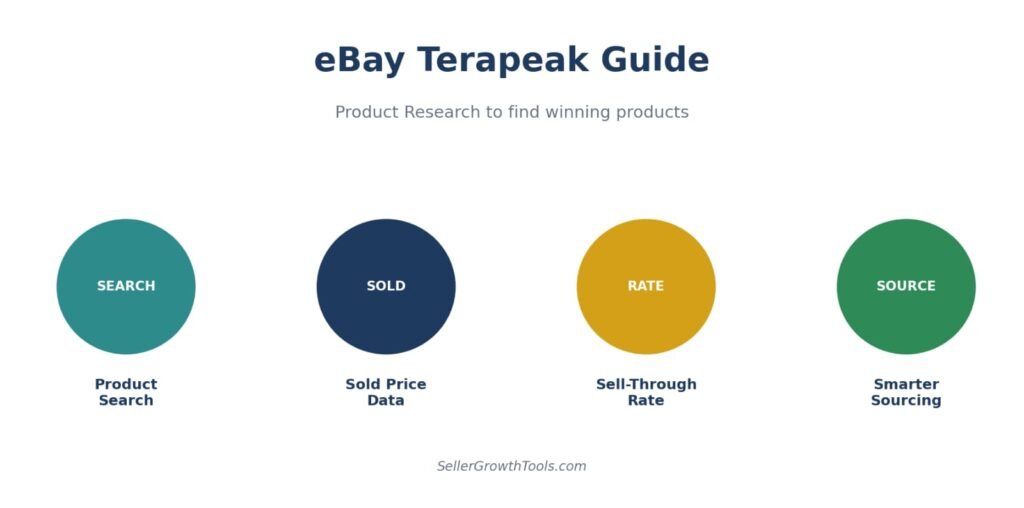
Quick Answer: ebay terapeak own built-in product research tool — not a third-party service. eBay acquired Terapeak in 2017 and folded it directly into Seller Hub, where it’s now officially called Product Research. It’s available through Seller Hub for eligible sellers and shows up to 3 years of real sold-item data — actual sold prices, sell-through rates, and sales trends, depending on category and available data — so you can research a product’s demand before you buy or list it.
Important Accuracy Note.
Terapeak is NOT a third-party tool. It is eBay’s own first-party product research service, built directly into Seller Hub. eBay acquired Terapeak in 2017, and inside Seller Hub it’s now officially labeled Product Research — though many sellers still search for it by its original name, Terapeak.
Key Takeaways
Terapeak is eBay’s own tool — now called Product Research inside Seller Hub, not a third-party service
Product Research is generally available through Seller Hub for eligible sellers. Availability may vary by account type and region. Sourcing Insights typically requires a Basic Store subscription or higher.
It shows up to 3 years of real sold-item data, depending on category and available data, including many accepted Best Offer prices
Sell-through rate (sold ÷ active listings × 100) is the single most useful metric it provides
Available on both desktop (Seller Hub) and the eBay mobile app, including barcode scanning for in-person sourcing.
Table of Contents
What Is eBay Terapeak?
How to Access Terapeak (Product Research)
Is Terapeak Free?
How to Use Terapeak Step-by-Step
Understanding the Data: Sold vs Active
Key Metrics Explained
Terapeak on Mobile
Best Practices for Product Research
Common Mistakes
Frequently Asked Questions
Related Guides
Every experienced eBay seller eventually learns the same lesson: sourcing based on a gut feeling is expensive. An item that “looks like it should sell” can sit in inventory for months, while a boring-looking item with strong sell-through data moves in days. The difference between those two outcomes usually comes down to whether you checked the data first — and that’s exactly what Terapeak, now called Product Research, is built for.
This guide walks through what Terapeak actually is, how to access it, and how to use it step-by-step to research products before you buy or list them.
What Is eBay Terapeak?
Terapeak started as an independent research company before eBay acquired it in 2017 and integrated it directly into Seller Hub. Today, it’s simply part of eBay’s own toolset — not something you sign up for separately or pay a third party for. Inside Seller Hub it’s labeled Product Research, and it analyzes real transaction data from millions of eBay sales to show what’s actually selling, at what price, and how fast.
How to Use Terapeak for Product Research
Most sellers open Terapeak, type a product name, look at the average price and close it again. That’s using maybe a tenth of what it tells you.
Product research is really one question: is this worth listing at all? Terapeak answers it if you read the right numbers.
Start with the right search
Search the product the way a buyer would, not the way a supplier lists it. “Nike Air Max 90 mens white” rather than “AM90 WHT UK9 BNIB”.
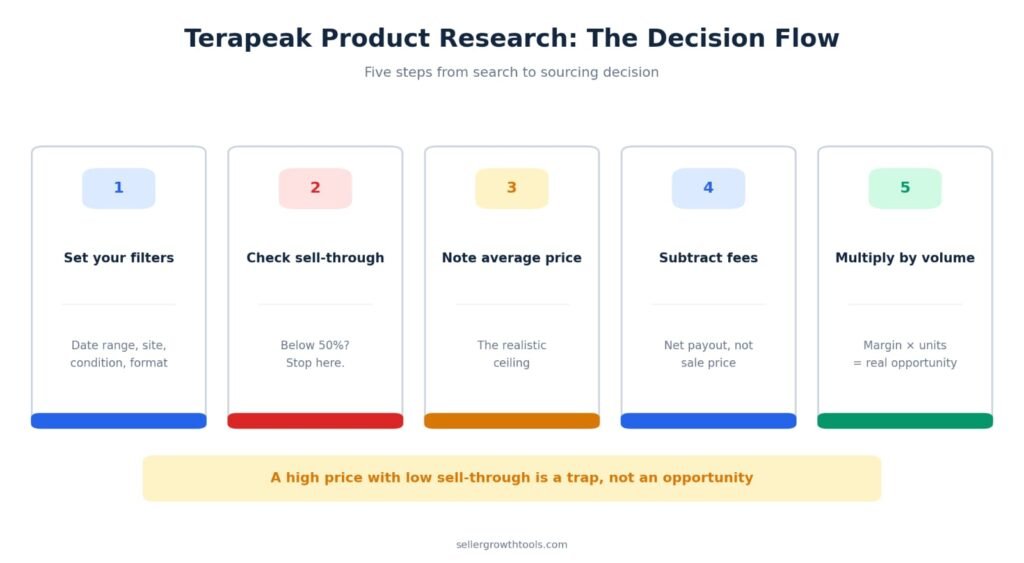
Then set your filters before reading anything:
Date range — 90 days for most items, 365 for seasonal ones
Site — set to eBay.co.uk if you sell in the UK. US data will mislead you on price.
Condition — match what you’d actually be selling
Format — Buy It Now and auction behave differently, so look at them separately
Skipping the site filter is the most common mistake. UK and US prices on the same item can differ by 40%.
The four numbers that matter
Terapeak shows a lot. These four decide whether you list.
Average sold price
Your realistic ceiling. Not the highest sale — the average.
Sell-through rate
The percentage that actually sold. The number most sellers ignore, and the one that matters most.
Total sold
Three in 90 days is one a month. Price and stock accordingly.
Average shipping charged
If everyone else offers free postage and you don’t, you’ll lose sales.
Average sold price is your realistic ceiling. Not the highest sale — the average.
Sell-through rate is the percentage of listings that resulted in a sale. This is the number most sellers ignore and it’s the most important one.
Total sold tells you volume. Three in 90 days is one a month.
Average shipping charged tells you whether sellers in this category offer free postage. If most do and you don’t, you’ll lose sales.
Reading sell-through rate properly
| Sell-through rate | What it tells you |
|---|---|
| Under 30% | Oversupplied. Most listings never sell. |
| 30–60% | Normal. Competitive but workable. |
| 60–90% | Strong demand. Worth sourcing. |
| Over 90% | Genuine scarcity — or too few listings to judge. |
The trap most sellers fall into
A high average price with a low sell-through rate looks like an opportunity and isn’t. A £200 average sounds excellent until you see only 15% of listings sold — meaning most sellers are sitting on unsold stock at that price.
Is eBay Terapeak Free?
Product Research is available through Seller Hub for eligible eBay sellers. Features and availability may vary by account type and region. The related tool, Sourcing Insights (which shows category-level opportunity data like search-to-listing ratios), typically requires a Basic Store subscription or higher. If you’re only using Product Research to check sold prices and sell-through rates on specific items, a Store subscription usually isn’t required.
How to Use eBay Terapeak Step-by-Step
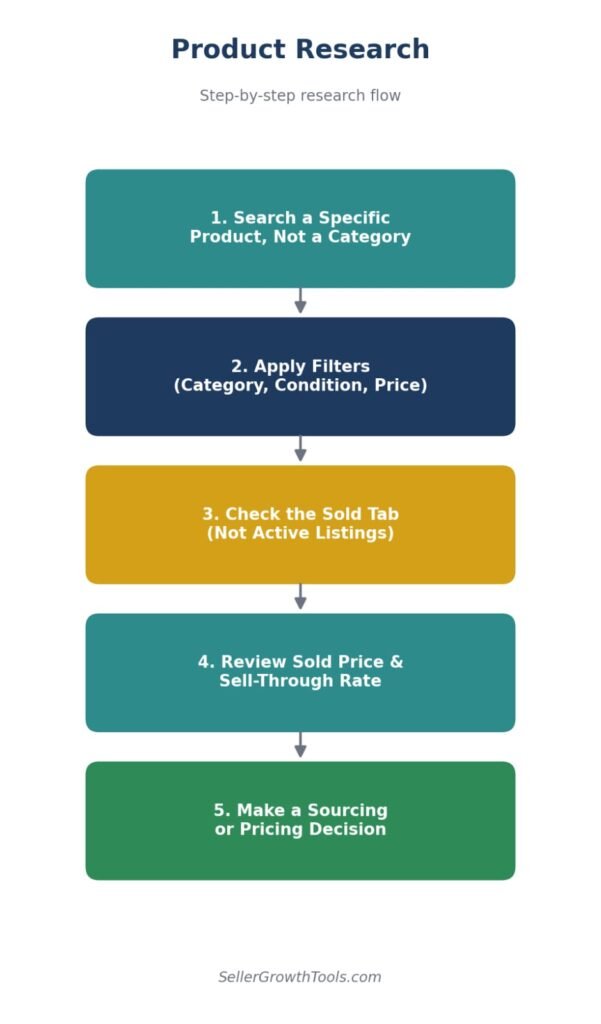
Step 1 — Start With a Specific Search
Search a specific product rather than a broad category. “Portable dog water bottle” returns far more usable data than “pet accessories” — a focused search makes it easier to judge realistic sold prices and actual competition.
Step 2 — Apply Filters
Narrow results using filters like category, item condition, price range, buyer/seller location, and product identifiers (UPC, ISBN, MPN). This keeps the data relevant to what you’re actually planning to sell.
Step 3 — Check the Sold Tab, Not Active
Active listings only show what sellers are asking — Sold listings show what buyers actually paid. Always base pricing and demand decisions on the Sold tab.
Step 4 — Review the Core Metrics
Look at average sold price, sold price range, sell-through rate, and total items sold over your selected time window (Product Research covers up to 3 years of history).
Step 5 — Make a Sourcing or Pricing Decision
Use what you’ve found to either validate a product you’re already sourcing, or decide against it if the data shows weak demand or oversaturated competition.
Understanding the Data: Sold vs Active
| Data Type | What It Shows | Use It For |
|---|---|---|
| Active Listings | What sellers are currently asking | Gauging current competition |
| Sold Listings | What buyers actually paid | Real pricing and demand decisions |
Key Metrics Explained
Average Sold Price — the mean price items actually sold for, excluding shipping
Sold Price Range — the lowest and highest prices realized in your search window
Sell-Through Rate — (Total Sold ÷ Total Active Listings) × 100 — the single most useful demand signal Terapeak provides
Total Sold — how many units moved in your selected time period
Average Shipping Cost — helps inform your own shipping pricing decisions.
What Counts as a Good Sell-Through Rate?
A sell-through rate above roughly 50-100% generally signals healthy demand relative to supply. A category showing many sold items against very few active listings often signals a genuine opportunity; the reverse — heavy competition against thin sales — is a warning sign, regardless of how attractive the item looks.
Given the choice, take a £40 item with 70% sell-through over a £200 item with 20%. The cheaper item sells. The expensive one sits.
Checking the competition
Before committing, look at who you’d be competing with.
How many active listings are there right now? Twenty is manageable. Four hundred isn’t.
Are the top sellers business accounts? Competing with someone doing 5,000 sales a month is a different proposition to competing with hobbyists.
Is one seller dominating? If a single seller holds most of the sales, they likely have a supply advantage you don’t.
Turning research into a sourcing decision
eBay Terapeak on Mobile
Product Research is also available directly in the eBay mobile app: open the app, go to the Selling tab, and look for Seller Tools > Product Research. Navigation may vary depending on the eBay app version and region. A widely-used sourcing technique is scanning a barcode while thrifting or at an estate sale to get instant sold-price and sell-through data before deciding whether to buy.
Best Practices for Product Research
Use specific, narrow searches rather than broad category terms
Always check the Sold tab, not just Active listings
Compare short and longer time windows rather than relying on a single date range
Cross-check sell-through rate alongside average sold price — a high price with almost no sales isn’t a real opportunity
Product Research can reveal actual transaction prices, including many accepted Best Offer sales, which are often not visible in standard eBay sold listings — see our eBay Best Offer Guide for how that negotiation process works.
Common Mistakes
Pricing based on Active listings instead of what actually sold
Searching too broad a category and drawing conclusions from noisy data
Ignoring sell-through rate and focusing only on price
Relying on a single date range instead of comparing trends over time
Forgetting to factor in eBay’s fees when judging whether a “good sold price” is actually profitable — run it through our eBay Fee Calculator and eBay ROI Calculator before committing to sourcing.
Using Terapeak as a Sales Estimator
Product Research does more than show sold prices — it functions as a practical sales estimator for any item you’re considering sourcing or listing.
How to estimate monthly sales volume
Take the total items sold in your chosen date range and divide by the number of months. Three items sold in 90 days means roughly one sale per month — useful context before you commit to buying stock.
For faster-moving items, set the date range to 30 days. For seasonal products or slower niches, use 90 or 365 days to smooth out fluctuations.
Sell-through rate as a demand signal
The sell-through rate is the closest thing Terapeak has to a demand score. Divide total sold by total active listings — a rate above 60% signals genuine demand relative to supply. Below 30% usually means the market is oversaturated.
A £200 item with 15% sell-through is a worse sourcing decision than a £40 item with 70% sell-through. The cheaper item sells. The expensive one sits.
Estimating your own sales potential
Once you know the total sold in a category and the number of active competitors, you can estimate realistic sales for a new listing. If 50 items sold across 20 sellers in 30 days, a new listing might realistically expect 2–3 sales per month — assuming competitive pricing and strong item specifics.
Use that estimate alongside our eBay ROI Calculator to decide whether the margin justifies the sourcing cost.
CTA
Found a promising product in your research? Run the numbers through our eBay Fee Calculator and eBay ROI Calculator before you commit to sourcing it.
Turn Research Into a Profitable Decision
Check your real profit before you buy inventory.
eBay Fee Calculator eBay ROI CalculatorFrequently Asked Questions
What is Terapeak eBay?
Terapeak is eBay’s own first-party product research tool, now called Product Research inside Seller Hub. It shows real sold-item data — prices, sell-through rates, and trends — to help sellers make sourcing and pricing decisions.
How to use Terapeak on eBay?
Log into Seller Hub, go to the Research tab, select Product Research, and search by keyword or product identifier. Filter results and focus on the Sold tab to see real transaction data.
What is Terapeak on eBay?
It’s the research tool eBay acquired in 2017 and built into Seller Hub — officially rebranded as Product Research, though the name Terapeak is still widely used by sellers.
What is eBay Product Research?
eBay’s current official name for the tool formerly known as Terapeak. It provides historical sold-listing data (up to 3 years, depending on category and available data) to help sellers research products.
How to find eBay Terapeak ?
Seller Hub > Research tab > Product Research on desktop, or Selling tab > Seller Tools > Product Research in the mobile app.
Do I need a Store subscription to use Terapeak?
Product Research is generally available through Seller Hub without a separate Store subscription, though availability can vary by account type and region. Only the related Sourcing Insights tool typically requires a Basic Store subscription or higher.
Does Terapeak show Best Offer prices?
Product Research can reveal actual transaction prices, including many accepted Best Offer sales, which are often not visible in standard eBay sold listings.
How far back does Terapeak’s data go?
Up to 3 years of historical sold-listing data, depending on category and available data.
Related Guides
Related Guides
The quick method when you don’t need full Terapeak data.
Take Terapeak’s average sold price and see if the margin works.
Turn the keywords you find into titles and item specifics that rank.
Product research matters even more when you don’t hold the stock.
Seasonal demand data is where Terapeak earns its keep.
Conclusion
Terapeak — or Product Research, as eBay now calls it — turns sourcing from a guessing game into a data-backed decision. The tool itself won’t source or list anything for you, but it gives you the evidence: what’s actually selling, at what real price, and how fast. Pair that with a quick profit check before you commit, and you’ve replaced gut instinct with a repeatable system.
Author Box
Written by Muhammad Usman
eCommerce & SEO Specialist with 5+ years of experience in eBay, Amazon, Etsy and TikTok Shop. This guide is based on official eBay documentation and practical seller experience.
Fact-Checked Box
This guide has been reviewed against official eBay Seller documentation and updated for 2026. Terapeak/Product Research features, subscription requirements and data history may vary slightly by marketplace and account type.