Every new eBay seller runs into the same wall eventually: you’re making sales, things are going well, and then suddenly you can’t list another item until next month. That’s eBay selling limits at work — and if nobody’s explained them to you, they can feel like a punishment for doing well rather than what they actually are: a standard part of how every new account gets onboarded.
This guide covers what eBay selling limits actually are, why they exist, how to check your current eBay account limits right now, and the fastest legitimate ways to request an eBay selling limits increase. Once your limits open up and you’re listing at higher volume, our free eBay Fee Calculator is worth bookmarking too — it’s built for exactly the kind of pricing decisions that matter once you’re scaling past your first few sales.
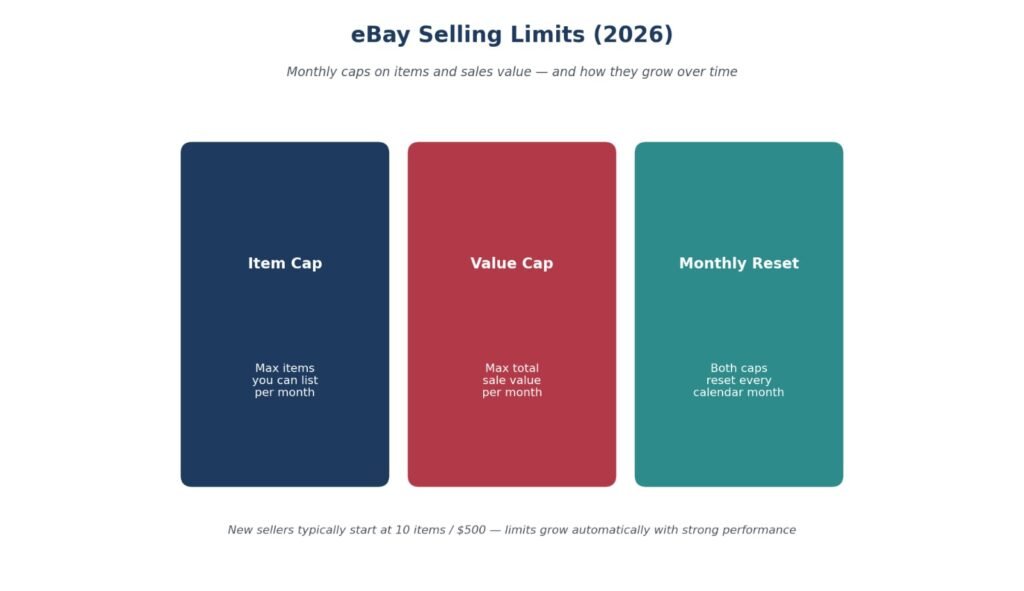
eBay selling limits are monthly restrictions on the number of items and total sales value you can list. Most new US sellers start with around 10 items or $500, while limits increase automatically or manually based on seller performance.
Table of Contents
What Are eBay Selling Limits?
Why Does eBay Set Selling Limits?
eBay Selling Limits for New Sellers
How Does eBay Calculate Selling Limits?
How to Check Your eBay Selling Limits
How to Increase eBay Selling Limits
Common Reasons for Low Selling Limits
Common Mistakes That Prevent Limit Increases
How Long Does eBay Take to Increase Selling Limits?
What Happens If You Reach Your Selling Limit?
Tips to Increase Your Limits Faster
Frequently Asked Questions
Conclusion
What Are eBay Selling Limits?
eBay selling limits are monthly caps on two things at once: how many items you can list, and how much total dollar value you can sell. Both numbers reset each calendar month, and eBay tracks them separately — you can hit whichever cap comes first, item count or dollar value, and it’ll stop new listings either way.
There isn’t just one type of limit, either. eBay applies selling limits at three different levels.
Account-Based Limits
This is the cap most new sellers hit first — a flat monthly ceiling on total items and total sale value across your entire account, regardless of category.
Category-Based Limits
Certain categories (electronics, jewelry, and other higher-fraud-risk areas) can carry their own separate caps on top of your account-wide limit, even after your general limit has grown.
Item-Based Limits
Some individual listings or product types get their own quantity restrictions, usually tied to fraud prevention on specific high-risk items.
Most sellers only ever deal with the account-based limit, but it’s worth knowing the other two exist if you’re planning to expand into a new category and your listings there get capped even though your general account limit looks fine.
This layered structure catches sellers off guard more often than eBay’s help documentation makes it sound. You can be well under your account-wide item cap and still get blocked from listing in a specific category because that category has its own ceiling — and unlike the account-level limit, category caps don’t always show up clearly in the same Monthly limits panel until you actually try to list something and hit the wall.
Why Does eBay Set Selling Limits?
eBay account limits and eBay selling restrictions aren’t there to slow down legitimate sellers — the limits exist to protect buyers and the marketplace from fraud, low-quality service, and sellers who take on more volume than they can actually fulfill. A brand-new account with zero track record is, from eBay’s perspective, indistinguishable from a scammer setting up shop for the first time. Selling limits are the mechanism that lets eBay onboard new sellers gradually while watching how they actually perform — shipping speed, buyer satisfaction, return rates — before handing over unrestricted selling access.
This is also why limits aren’t static. eBay reviews accounts roughly every 30 days and raises limits automatically for sellers building a clean track record. The system is designed to reward exactly the behaviors that make a seller trustworthy: fast shipping, accurate listings, low return rates, and responsive customer service. eBay seller performance standards page outline exactly which metrics factor into this review if you want to check your own standing directly.
Think of it less as a punishment and more as a trial period that never technically ends but stops mattering once you’ve proven yourself. A seller with six months of on-time shipping and near-zero complaints looks nothing like a brand-new account to eBay’s systems, even if both started at the same 10-item cap. The limit is doing its job the moment it stops being relevant to you.
eBay Selling Limits for New Sellers
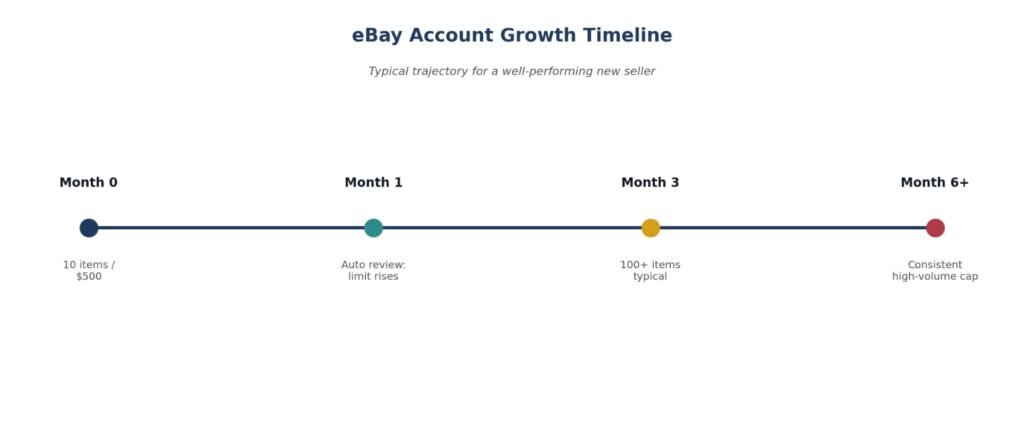
Most new eBay accounts start with a limit of 10 items or $500 in total sales per month, whichever comes first — though eBay sets these two numbers individually, so your actual starting figures can vary slightly depending on your account details and category.
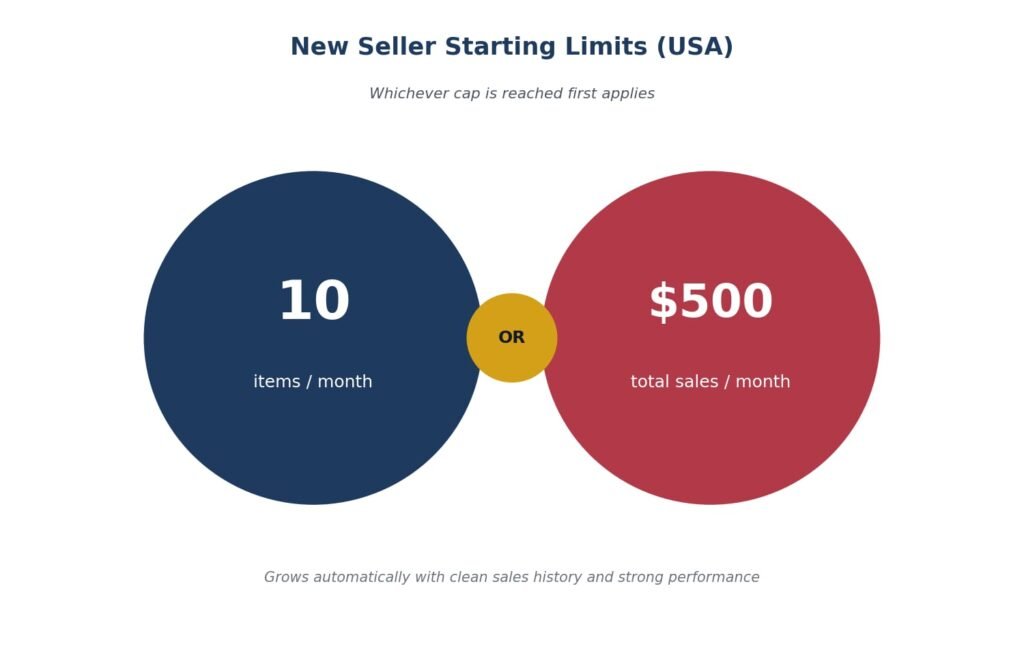
That starting cap feels tight if you’re used to thinking in terms of a real business, but it’s genuinely temporary for sellers who perform well. eBay’s automatic monthly reviews mean many accounts reach 100 items or more within their first quarter without ever needing to manually request an increase — the system raises limits on its own once it has enough clean sales history to work with.
New sellers sometimes make the mistake of treating that first 10-item cap as a signal to slow down and wait it out. The opposite approach tends to work better: using those first 10 listings deliberately, on items you’re confident will sell and ship smoothly, gives eBay’s system the clean data it needs to raise your limit sooner. A cap full of ten carefully chosen, well-photographed, accurately described listings builds trust faster than the same ten items thrown up carelessly just to “use up” the allowance.
Typical New Seller Limits by Country
| Country | Typical Starting Limit |
|---|---|
| 🇺🇸 USA | 10 items / $500 |
| 🇬🇧 UK | Varies |
| 🇨🇦 Canada | Varies |
| 🇦🇺 Australia | Varies |
eBay sets exact starting limits individually per account, category, and region — the US figures above are the most consistently documented; UK, Canada, and Australia starting caps vary more by account and aren’t published as a single fixed number. Always check your own Monthly limits section in Seller Hub for your account’s exact current figures.
eBay Zero Selling Limits — What It Means and What to Do
Some sellers open Seller Hub and find their selling limit shows as zero — not 10 items, not $500, but nothing at all. This is different from hitting your cap mid-month. A zero limit usually means one of a few things:
Your account is brand new
eBay sometimes shows zero while it processes a newly registered account. Give it 24-48 hours and check again — the starting limit usually populates once the account is fully activated.
Your account has been restricted
A zero selling limit that appears suddenly on an established account is a signal that eBay has placed a restriction on your account, not a routine limit reset. Check your registered email and eBay Messages for a notice explaining what triggered it.
If you’ve received an MC999 notice alongside a zero limit, that’s an account-level restriction — see our eBay MC999 Guide for the full process
Your account needs identity or payment verification
eBay sometimes holds limits at zero while waiting for a seller to complete a verification step — linking a bank account, confirming identity, or agreeing to updated policies. Check your account banner and Messages for any pending action items.
What to do
Check your Seller Hub Payments tab and account banner for any notifications. If there’s no notice and your account is new, wait 24-48 hours and check again. If your account is established and the zero appeared unexpectedly, treat it as a restriction and follow up through eBay’s seller support.
How Does eBay Calculate Selling Limits?
eBay doesn’t publish an exact formula, but its automated reviews consistently weigh the same handful of signals:
Account age — how long you’ve been actively selling
Sales history — total completed transactions and consistency over time
Seller performance — your standing against eBay’s service metrics (Above Standard, Standard, or Below Standard)
Tracking uploads — whether you’re consistently uploading valid tracking numbers on time
Buyer feedback — the volume and quality of feedback you’re receiving
Policy compliance — whether your listings and account activity stay within eBay’s selling policies
None of these signals work in isolation — a strong sales history paired with poor tracking upload habits still holds a limit back, since eBay is really measuring reliability as a whole rather than rewarding any single metric on its own.
eBay Selling Limits UK — What’s Different
UK sellers have a slightly different experience with selling limits than the US-focused documentation suggests. Here’s what to know.
UK private sellers vs business sellers
eBay UK distinguishes more explicitly between private sellers and business sellers, and the limit structure reflects this.
Private sellers in the UK are subject to listing limits per month. Starting limits for private accounts are typically lower than business accounts and are reviewed periodically based on selling activity.
Business sellers registered on eBay UK generally have different starting limits and a different review pathway. If you’re operating as a business — VAT-registered, selling commercially — registering as a business seller and providing your business details can result in higher starting limits than a private account.
How to check your UK selling limits
The process is the same as the US: Seller Hub → Overview → Monthly limits. The section shows both your item cap and value cap in GBP for UK accounts.
UK selling limits and the Buyer Protection Fee
UK private sellers pay no final value fee on most sales but do pay a Buyer Protection Fee charged to the buyer. This doesn’t affect your selling limit directly, but it’s worth understanding the full fee picture as your limits grow. For the full breakdown: eBay Private Seller Fees UK
UK vs US — key differences
| UK Sellers | US Sellers | |
|---|---|---|
| Starting limit | Varies by account type | Typically 10 items / $500 |
| Private vs business | Explicitly separated | Less formal distinction |
| Currency | GBP cap | USD cap |
| Review cycle | ~30 days | ~30 days |
| Request process | Seller Hub / support | Seller Hub / support |
| Category limits | Category-specific caps apply | Category-specific caps apply |
Always check your own Monthly limits section in Seller Hub for your exact current figures — eBay sets limits individually per account and region.
How to Check Your eBay Selling Limits
Checking your current limits takes under a minute:
Log into Seller Hub (or My eBay if you haven’t switched to Seller Hub yet)
Go to the Overview tab.
Scroll to the Monthly limits section
This shows both your item cap and your dollar-value cap, along with how much of each you’ve already used this month. It’s worth checking this section periodically even if you’re nowhere near your limit — it’s the same place you’ll go when you’re ready to request an increase, so it’s good to know where it lives before you actually need it.
How to Increase eBay Selling Limits
Whether you’re looking to increase eBay selling limits through the automatic system or want to actively request eBay selling limits increase, both paths run through the same account performance signals.
Signs You’re Ready to Request a Selling Limit Increase
Before submitting a manual request, check whether you’re actually seeing these signals — they’re what eBay’s review is looking for either way:
You regularly reach your monthly limit before the month resets
You maintain Above Standard seller performance
Orders are shipped on time, consistently
Positive feedback is increasing along with your sales
You have no open cases in the Resolution Center
If most of these are true, a manual request has a real chance of succeeding. If several aren’t, it’s usually faster to fix those first rather than requesting anyway.
The Automatic Method
The easiest path is simply the one that requires nothing from you: keep selling well, and eBay’s monthly account reviews will raise your limits on their own once you’ve built enough of a track record. This is the method most sellers eventually rely on, and it doesn’t require reaching out to anyone.
Requesting an Increase Manually
If you don’t want to wait for the automatic review, or you’re consistently maxing out your cap early in the month, you can request an increase directly:
In Seller Hub: Open the Monthly limits section and click “Request to list more” (this option appears once you’re near or at your current cap)
By phone: Contact eBay support and request a limit increase — be ready to explain your sales history and why you need more capacity
By email or chat: Some regions offer live chat support through the Help & Contact section, which works similarly to a phone request.
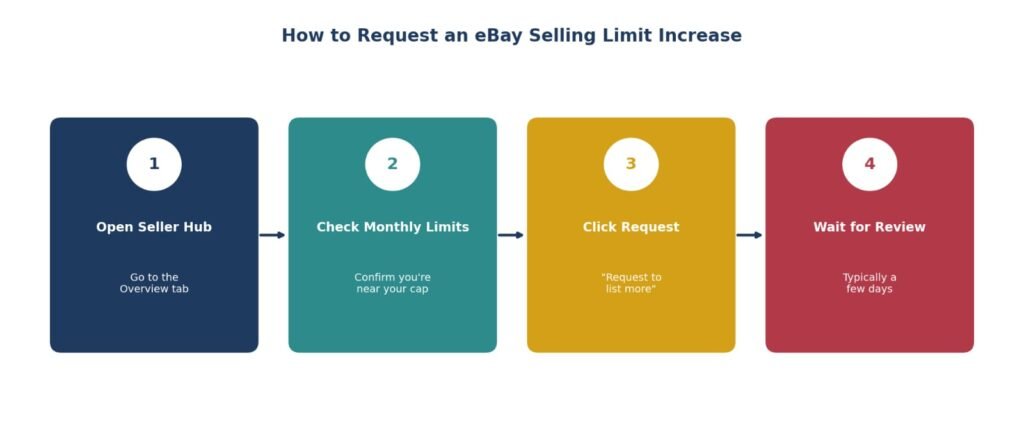
Manual requests are typically processed within a few days, though approval isn’t guaranteed, and eBay generally only lets you submit a new request about once every 30 days regardless of the method you use.
| Automatic | Manual | |
|---|---|---|
| Frequency | Every ~30 days | Anytime (when eligible) |
| Action needed | No action needed | Request required |
| Basis | Based on performance | Based on review |
Which Method Should You Use?
If you’re not in a hurry and your business can comfortably wait, letting the automatic review handle it is genuinely the path of least resistance — no forms, no calls, no risk of a request landing badly. If you’re consistently selling out your allowance in the first week or two of the month and losing real sales opportunities as a result, that’s when a manual request starts making more sense than waiting. The key signal either way is the same: you want evidence of demand outpacing your current cap, not just a general feeling that you’re ready for more.
Once your limits increase, you should also understand eBay Store Fees before upgrading your Store subscription — a higher selling limit often arrives around the same volume where a Store subscription starts making financial sense too, so it’s worth evaluating both decisions together rather than separately.
Common Reasons for Low Selling Limits
If your limit seems stuck or unusually low, a few common issues are usually behind it:
Account is genuinely new — if you haven’t built enough sales history yet, this is simply the normal starting point, not a problem to fix
Low seller performance level — falling below eBay’s “Above Standard” seller status will slow or block limit increases regardless of sales volume
Open cases in the Resolution Center — unresolved returns or buyer complaints signal risk to eBay’s review system
A high proportion of stale, unsold listings — a cap full of items that aren’t selling looks different to eBay’s system than a cap full of items that are moving well
Requesting an increase while under capacity — asking for more room when you haven’t used your current allowance signals you don’t actually need it yet.
Selling Limits and Your Seller Account Health
Selling limits and seller performance are connected — not the same thing, but closely linked. Understanding the relationship helps you manage both together.
How performance affects limits
eBay’s monthly limit reviews use the same signals as its seller performance evaluation: shipping speed, defect rate, case closure rate, and tracking uploads. A seller at Above Standard with clean metrics is more likely to see automatic limit increases than one at Standard or Below Standard — because the signals eBay uses to decide trust levels are the same ones it uses to decide limit increases.
This means improving your seller performance isn’t just about keeping your account healthy — it directly speeds up how fast your limits grow.
Full detail on what eBay tracks: eBay Seller Performance Guide
What happens to limits if you go Below Standard
If your seller performance drops to Below Standard, eBay will typically pause automatic limit increases and may reduce existing limits. This is one of the more significant consequences of a performance drop — beyond the immediate impact on search ranking and badge status, it stalls your ability to scale.
For what Below Standard means and how to recover: eBay Below Standard Guide
Cancellations, unpaid items and limits
A high cancellation rate — particularly seller-initiated cancellations — can slow limit increases the same way poor shipping metrics do. Unpaid Item cases handled correctly don’t affect your performance metrics directly, but a pattern of unresolved buyer issues does.
For how cancellations affect your account: eBay Order Cancellation Guide
VeRO violations and selling limits
IP violations flagged through eBay’s VeRO program can restrict listing activity independently of your monthly selling limit. If your listings are being removed for intellectual property reasons rather than hitting a cap, the issue isn’t your selling limit — it’s a VeRO violation.
For the full VeRO process: eBay VeRO Guide
Common Mistakes That Prevent Limit Increases
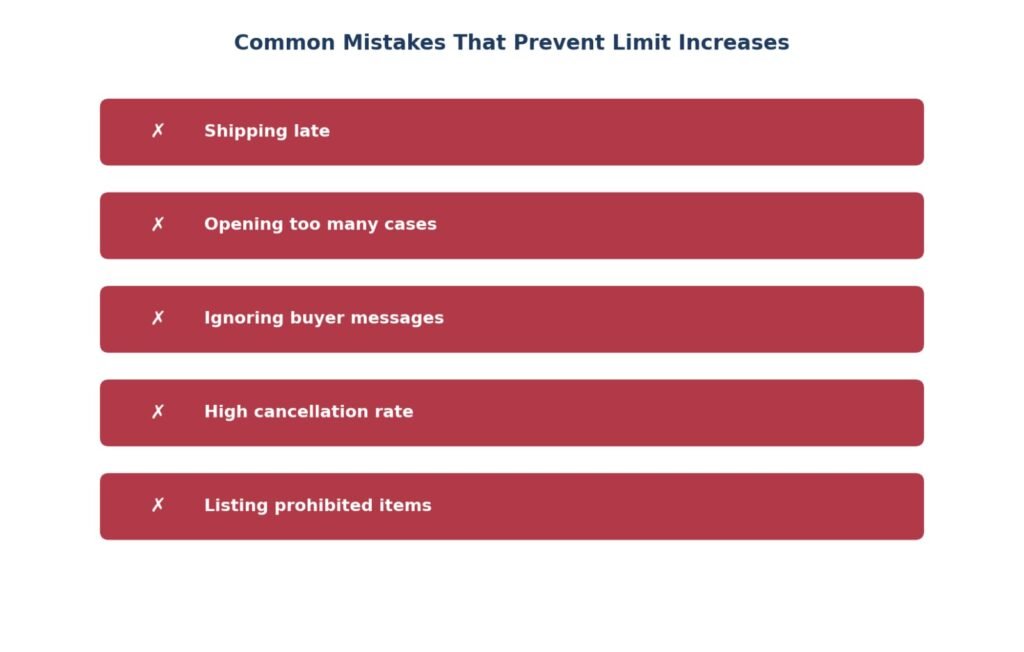
Beyond the general reasons above, a handful of specific seller behaviors reliably slow down or block eBay account limits from growing:
Shipping late — consistently missing your stated handling time is one of the fastest ways to signal risk to eBay’s automated review
Opening too many cases — a pattern of disputes, whether buyer-initiated or seller-initiated, reads as instability even when individual cases get resolved fairly
Ignoring buyer messages — slow or missing responses hurt your service metrics independently of your actual sales performance
High cancellation rate — frequently canceling orders (out of stock, pricing errors, etc.) undermines the reliability signal eBay is specifically trying to measure
Listing prohibited or restricted items — even accidental policy violations can flag an account and stall limit reviews entirely, regardless of how well everything else is performing.
How Long Does eBay Take to Increase Selling Limits?
Automatic review: Happens roughly every 30 days, based on your ongoing sales performance — no action required on your part
Manual request: Typically processed within a few days once submitted through Seller Hub, phone, or chat
Typical review time: A few days for manual requests; up to a month for the next automatic cycle if you’re not requesting manually
Factors affecting approval: Seller performance level, open Resolution Center cases, shipping consistency, and how close you are to your current cap when you request.
What Happens If You Reach Your Selling Limit?
Once you hit either your item cap or your dollar-value cap, eBay blocks new listings until the limit resets or increases. This has one particularly easy-to-miss consequence: Good ‘Til Cancelled listings count toward your selling limits too. If you’re already at your cap when a GTC listing is due for its automatic monthly renewal, eBay can block that renewal — meaning the listing simply ends instead of relisting as usual.
The fix isn’t complicated, but it does require you to notice it happened: once your limit resets or increases, you can manually relist anything that got cut off this way. It just won’t happen automatically the way it normally would.
Beyond the GTC relisting issue, hitting your cap has a quieter cost too: it stops you from reacting to demand in real time. If a particular item is selling faster than expected and you’d normally list five more of the same thing, a maxed-out limit means that opportunity just waits until next month — or until you successfully request an increase. Sellers who track their limit usage weekly, rather than discovering it’s maxed out mid-listing, tend to avoid this kind of lost momentum.
Tips to Increase Your Limits Faster
Be at or near your current cap before requesting an increase — eBay wants evidence you actually need more room, not that you’re asking preemptively
Maintain Above Standard seller status or better, with no open Resolution Center cases at the time of your request
Close out old returns and cases before submitting any manual request
End long-dead listings that haven’t sold in a long time — a high ratio of well-performing listings to stale ones works in your favor
Keep shipping fast and consistent — this is one of the clearest signals eBay’s automated reviews weigh
Have your business details ready if you’re contacting support directly, since verification questions are common
Don’t over-list into a category-specific cap — if you’re expanding into electronics or another restricted category, check whether that category has its own separate limit before assuming your general increase covers it.
Frequently Asked Questions
What are eBay selling limits?
Monthly caps on both the number of items you can list and the total dollar value you can sell, reset each calendar month, applied at the account, category, and sometimes item level.
How do I increase my eBay selling limit?
Either wait for eBay’s automatic monthly review to raise it based on your sales performance, or request an increase manually through Seller Hub’s “Request to list more” option, by phone, or through live chat where available.
How do I check my eBay selling limits?
Go to Seller Hub (or My eBay), open the Overview tab, and scroll to the Monthly limits section — it shows both your item cap and dollar-value cap along with current usage.
Why is my eBay selling limits so low?
Usually because the account is new and hasn’t built sales history yet, though a lower-than-expected seller performance level, open Resolution Center cases, or a high number of unsold listings can also hold your limit down.
How long does it take to increase eBay selling limits?
Manual requests are typically processed within a few days, though approval isn’t guaranteed. Automatic reviews happen roughly every 30 days.
Can I request a eBay selling limits increase?
Yes, through the “Request to list more” option in Seller Hub once you’re near your current cap, or by contacting eBay support directly by phone or chat.
What happens if I reach my eBay selling limits?
New listings are blocked until your limit resets or increases, and any Good ‘Til Cancelled listings due for renewal while you’re at capacity can fail to renew automatically.
Fact-checked
Last updated: August 2026
Reviewed against: Official eBay Seller Hub selling limits guidance
Key Takeaways
Selling limits reset every month.
New sellers usually start around 10 items / $500.
Strong performance increases limits faster.
Automatic reviews happen about every 30 days.
Manual requests work best when you’re close to your current limit.
Check limits regularly in Seller Hub.
Conclusion
Selling limits feel like a handbrake when you’re first starting out, but they’re really rewarding exactly the habits that make an eBay store durable long-term — fast shipping, clean metrics, and listings people actually want to buy. Most sellers who focus on those fundamentals see their limits climb without ever needing to make a manual request. If you do need to push things along faster, check your Monthly limits section in Seller Hub, make sure you’re near capacity with strong-performing listings, and request an increase from there.
Once your limits open up and you’re listing at real volume, pricing accurately matters more than ever — our free eBay Fee Calculator can help you plan margins across final value fees, listing costs, and Store subscriptions as your selling volume grows.
Once your selling limits increase, your next challenge is pricing items profitably. Use our free eBay Fee Calculator to calculate fees, profit, ROI, and break-even price before listing any product.
Related Articles
Related Guides
The metrics eBay uses to decide whether your limits go up or down.
How falling below standard pauses limit increases — and how to recover.
When a restriction goes beyond a selling limit — causes and appeal routes.
Account-level restrictions that can show up as zero selling limits.
What UK private sellers pay once their limits open up and sales grow.
How cancellation rate affects your metrics and selling limit reviews.
If listings are being removed despite having limit headroom — VeRO may be the reason.
A note on accuracy: eBay’s exact starting limits, review cycles, and request processes can shift over time and may vary slightly by account, category, and region. The figures in this guide reflect eBay’s published Seller Hub guidance as of 2026. We recommend checking your own Monthly limits section in Seller Hub for your account’s exact current numbers, since these are set individually rather than applied identically to every seller.
Muhammad Usman
eCommerce & SEO Specialist
Muhammad works with eBay and marketplace sellers across the UK and US, handling listings, fee structures and store optimisation day to day. He writes these guides because most eBay advice online explains the rule without explaining what to actually do about it.
Every guide here is checked against eBay’s current documentation before publishing and revisited when policies change. More about this site · Get in touch