Quick Answer: eBay Best Offer lets buyers negotiate on fixed-price listings by submitting an offer below the listed price. Sellers can accept, decline, or counter within a set time window, and can also set up Auto Accept and Auto Decline thresholds to handle offers automatically. Whatever price the offer is accepted at becomes the final sale price — eBay’s standard Final Value Fee still applies to that accepted amount, the same as any other sale.
Key Takeaways
Best Offer is only available on listings where the seller has enabled it
Sellers can accept, decline, or counter any offer within the response window
Auto Accept and Auto Decline let sellers handle offers without manually reviewing each one
The accepted offer price is still subject to eBay’s standard Final Value Fee
Setting a price buffer before listing gives you room to negotiate without losing margin
Table of Contents
What Is eBay Best Offer?
How eBay Best Offer Works
How to Enable Best Offer
Auto Accept & Auto Decline
Best Offer vs Buy It Now
How to See Accepted Best Offer Prices
Best Offer Tips for Sellers
Common Mistakes
Can You Cancel or Retract a Best Offer?
Frequently Asked Questions
Related Guides
Not every eBay sale happens at the listed price. Best Offer gives buyers a built-in way to negotiate, and gives sellers a structured way to say yes, no, or “let’s meet in the middle” — without ever leaving the platform. Used well, it can move inventory that’s sitting at a price point that’s just slightly too high. Used carelessly, it can quietly erode your margin one accepted lowball offer at a time.
This guide covers exactly how Best Offer works, how to set it up, and how to use Auto Accept and Auto Decline so you’re not manually reviewing every offer that comes in.
What Is eBay Best Offer?
Definition
Best Offer is a feature sellers can enable on fixed-price listings that lets buyers submit a proposed price instead of paying the listed amount outright, opening a negotiation rather than an instant purchase.
Why eBay Uses Best Offer
It gives price-sensitive buyers a reason to engage with a listing they might otherwise scroll past, and gives sellers a way to close a sale at a price both sides are comfortable with — without needing to run an auction or manually reprice the listing.
Benefits for Buyers & Sellers
Buyers get a shot at a better price without the pressure of an auction. Sellers get a flexible way to move inventory, test price sensitivity, and close sales that a rigid fixed price might have missed entirely.
How eBay Best Offer Works
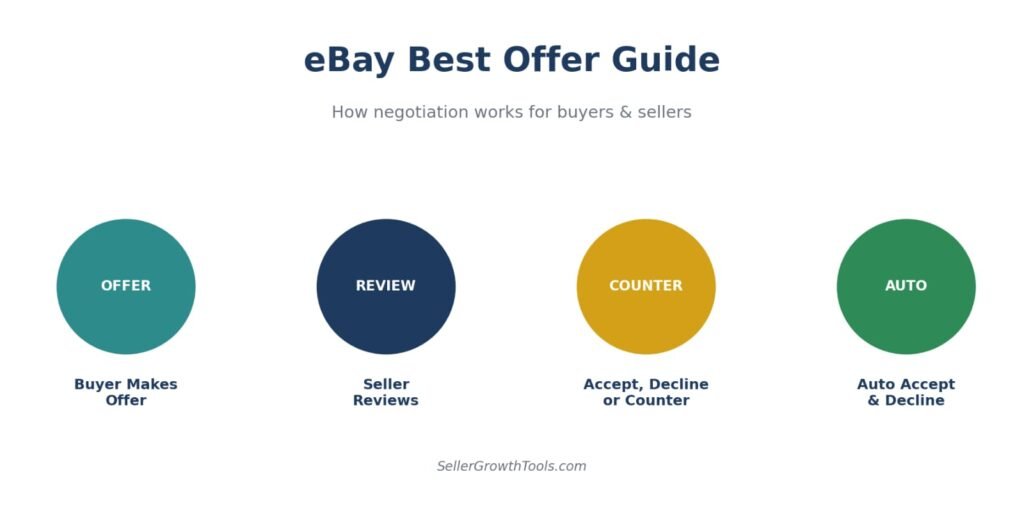
Buyer Makes an Offer
On an eligible listing, the buyer enters a proposed price (and quantity, if applicable) instead of clicking Buy It Now, submitting it directly to the seller.
Seller Reviews the Offer
The offer appears in the seller’s Best Offer inbox, along with the buyer’s proposed price and the standard response window to act on it.
Accept, Decline or Counter Offer
The seller can accept the offer, decline it, or send an eBay counter offer with a different price. A counter offer gives both the buyer and seller another chance to negotiate before making a final decision. If you’re unsure how counter offers work, read our complete eBay Counter Offer guide for step-by-step details.
Offer Expiration
Offers that aren’t responded to within the window expire automatically, and the listing simply remains available at its original price.
How to Enable Best Offer
Fixed Price Listings
Best Offer is only available on fixed-price listings — it isn’t an option on standard auction-style listings, since those already have their own bidding mechanism.
Seller Hub Settings
Sellers enable Best Offer at the listing level, either when creating a new listing or by editing an existing one, along with setting any Auto Accept/Auto Decline thresholds they want applied.
Eligibility
Not every category or listing type supports Best Offer — check the listing creation flow for the category in question, since eligibility is set by eBay at the category level.
When Best Offer Is Available
Fixed-price listings only — not available on auction-style listings
A seller-controlled feature — it must be switched on, it isn’t on by default
Category eligibility may vary — some categories don’t support it at all
Some individual listings may not support Best Offer even within an eligible category, depending on the seller’s own settings.
Auto Accept & Auto Decline
Auto Accept
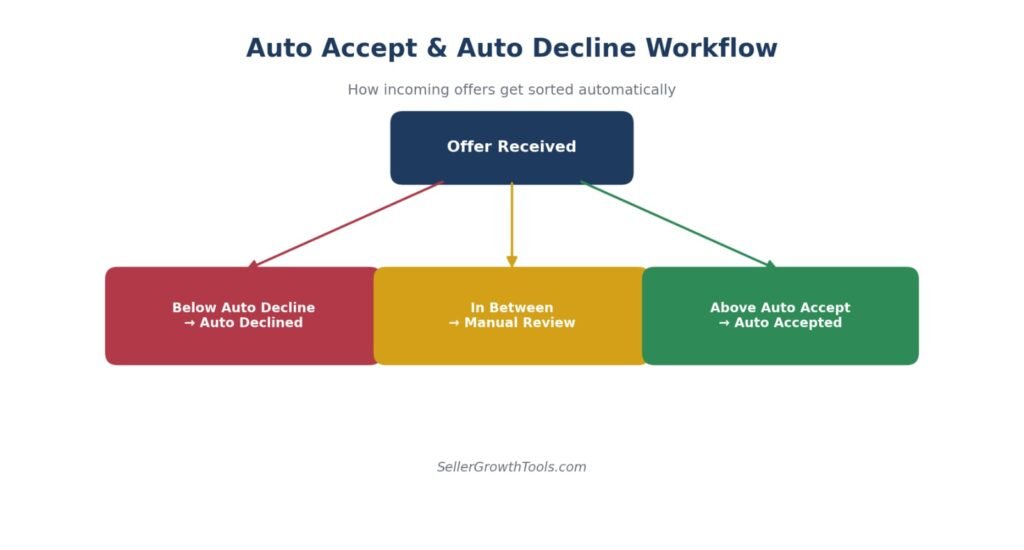
Sellers can set a minimum price threshold at which any incoming offer is accepted automatically, without needing to review it manually — useful for handling high offer volume efficiently.
Auto Decline
Similarly, sellers can set a floor below which offers are automatically declined, filtering out lowball offers before they ever need a manual look.
Best Strategy
A common approach is setting Auto Decline just below your real minimum acceptable price and Auto Accept close to your listed price, leaving a middle band of offers that actually warrant a manual look or a counter-offer.
Warning Box
Whatever price a Best Offer is accepted at becomes the final sale price — eBay’s standard Final Value Fee still applies to that accepted amount. Factor this into your Auto Accept threshold, not just the item’s floor price.
Best Offer vs Buy It Now
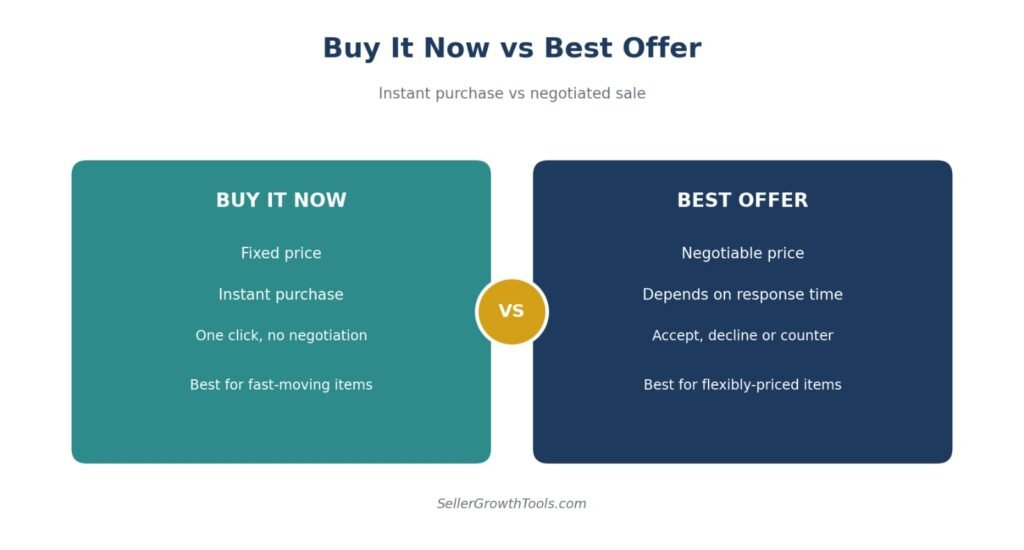
| Feature | Buy It Now | Best Offer |
|---|---|---|
| Price | Fixed, non-negotiable | Negotiable within seller’s rules |
| Speed of Sale | Instant | Depends on response time |
| Buyer Effort | Low — one click | Higher — requires an offer |
| Seller Control | None once listed | Accept, decline or counter each offer |
| Best For | Fast-moving, well-priced items | Slower-moving or flexibly-priced items |
How to See Accepted Best Offer Prices
Why Some Sold Prices Are Hidden
Unlike a standard sale, the final price on an accepted Best Offer isn’t always publicly visible in the same way a straightforward sold listing is — the negotiated nature of the sale means eBay doesn’t always surface it the same way.
How to View Accepted Offer Prices (Where Available)
Checking completed and sold listings in search (where eBay makes this available) can sometimes reveal actual sold prices, though the platform doesn’t guarantee visibility into every negotiated outcome.
Research Tools
eBay’s own Product Research tool (formerly known as Terapeak, now built directly into Seller Hub) shows actual sold prices — including accepted Best Offer prices — for up to 3 years of transaction history, and is free for all sellers with Seller Hub access. For sellers who want a broader view, genuine third-party platforms such as ZIK Analytics offer additional competitor and niche research on top of what eBay’s own tool provides. Always verify pricing with multiple sources before making decisions.
Why Price History Matters
Knowing what similar items actually sold for — not just what they’re listed at — is one of the best inputs for setting your own listing price and Auto Accept/Auto Decline thresholds realistically.
Best Offer Tips for Sellers
Price Buffer — list slightly above your real minimum so you have room to negotiate without going below your target
Respond Quickly — buyers who don’t hear back promptly often lose interest or buy elsewhere
Use Auto Rules — set Auto Accept and Auto Decline thresholds so you’re not manually reviewing every offer
Review Market Prices — check what similar items are actually selling for before deciding what to accept
Don’t Accept Every Offer — a lowball offer accepted out of impatience is still a lowball sale
Common Mistakes
Pricing Too High — setting a listing price so far above market value that even a “generous” offer still feels like an insult to buyers
Ignoring Offers — letting offers expire unanswered wastes interested buyers who might have closed at a small counter-offer
No Auto Rules — manually reviewing every single offer eats time that Auto Accept/Decline could handle instantly
Emotional Negotiation — rejecting a fair offer out of principle, or accepting a bad one out of fatigue, both cost money in different directions.
Can You Cancel or Retract a Best Offer?
Buyer Cancellation
Buyers can request to retract a Best Offer in certain situations before it is accepted, subject to eBay’s current policies and eligibility. Once an offer has been accepted, it becomes a binding transaction.
Seller Cancellation
Once a seller accepts an offer, it becomes a binding sale like any other — sellers can’t simply cancel because they regret the accepted price.
Offer Expiration
If neither party acts within the response window, the offer simply expires and the listing remains available at its original price, with no obligation on either side.
Frequently Asked Questions
How long does Best Offer last?
Offers remain open for a set response window before they expire automatically if neither party responds.
Can I withdraw an offer?
Buyers can request to retract a Best Offer in certain situations before it is accepted, subject to eBay’s current policies and eligibility. Once an offer has been accepted, it becomes a binding transaction.
Can sellers counter offers?
Yes — instead of a flat accept or decline, sellers can send back a different price, continuing the negotiation until one side accepts or the offer expires.
What happens after acceptance?
Once an offer is accepted, it becomes a completed sale at that price, subject to eBay’s standard Final Value Fee just like any other transaction.
Can Best Offer be automatic?
Yes — Auto Accept and Auto Decline let sellers set price thresholds so qualifying offers are handled without manual review.
Can sellers see who made the Best Offer?
Sellers can view the offer details and the buyer’s account associated with the offer through Seller Hub. Personal information remains protected according to eBay’s privacy policies, and sellers should communicate only through eBay’s messaging system.
Related Guides
How to counter properly instead of declining and losing the buyer.
Find your break-even price before you set auto-accept — never go below it.
Check what similar items actually sold for before accepting an offer.
See what a lower accepted offer leaves you after fees and postage.
Accepting an offer you can’t fulfil means cancelling — and that’s a defect.
CTA
Want to know your real profit on an accepted offer? Use our eBay Fee Calculator and eBay ROI Calculator to run the numbers, check our eBay Selling Fees guide for the full fee breakdown, and see our eBay Top Rated Seller Guide for how quick offer responses tie into your seller performance.
Know Your Numbers Before You Accept an Offer
Run the accepted price through our free calculators first.
eBay Fee Calculator eBay ROI CalculatorBest Offer Checklist
Best Offer Checklist
✔️ Enable Best Offer
✔️ Set Auto Accept
✔️ Set Auto Decline
✔️ Leave negotiation room
✔️ Respond quickly
✔️ Review market prices
✔️ Avoid emotional pricing
Conclusion
Best Offer works best when it’s treated as a system, not a series of one-off decisions — a price buffer set in advance, Auto Accept and Auto Decline thresholds that reflect your real numbers, and a quick response habit for the offers that land in the middle. Sellers who set those rules once tend to spend far less time negotiating and still walk away with better outcomes than those handling every offer individually.
Author Box
Written by Muhammad Usman
eCommerce & SEO Specialist with 5+ years of experience in eBay, Amazon, Etsy and TikTok Shop. This guide is based on official eBay documentation and practical seller experience.
Fact-Checked Box
This guide has been reviewed against official eBay Seller documentation and updated for 2026. Response windows, category eligibility and Auto Accept/Decline features may vary by marketplace.